

TL;DR
A single video can be transformed into a comprehensive publishing kit— including social media assets, media kits, and formatted files—using offline tools. This workflow emphasizes automation, privacy, and speed, removing dependence on cloud services.
Imagine finishing a video and having a full suite of ready-to-publish assets in minutes—without relying on cloud services that leave you vulnerable to delays or privacy breaches. This isn’t just a dream; it’s becoming possible with workflows designed for local control.
In this article, you’ll see how a single video can morph into everything from social posts to media kits, all managed on your own machine. We’ll explore how this approach works, the advantages, and what tradeoffs you should consider.
Key Takeaways
- A single recorded video can be turned into a full suite of publishing assets—social clips, media kits, formatted files—without leaving your local machine.
- Offline workflows enhance privacy, speed, and control, making content management more predictable and secure.
- Automation handles much of the heavy lifting, but manual review remains critical for branding and quality control.
- Supporting multiple formats and platforms from one source simplifies wide distribution and launch sequencing.
- Staying current with offline, automated tools can significantly cut production time and give you full ownership of your content.
As an affiliate, we earn on qualifying purchases.
How One Video Becomes a Full Publishing Kit Without Relying on the Cloud
Turning one recording into a complete publishing package means automating every step—from transcription to social media snippets—while keeping everything on your local system. Instead of uploading files to a cloud service and waiting, you process everything in-house.
For example, you record a webinar, then run it through a local tool like ChannelHelm. It automatically generates social clips, a media kit, blog drafts, and even optimized titles—all stored on your computer. You review, tweak, and finalize each asset without ever leaving your workspace.
This layered approach is crucial because it allows you to customize and refine each asset at every stage, ensuring they align perfectly with your branding and messaging. It also reduces the risk of data breaches or delays caused by internet issues. The tradeoff? It requires a bit more setup and familiarity with local tools, but the control and privacy gained are often worth the effort. You can learn more about creating a comprehensive publishing kit offline.
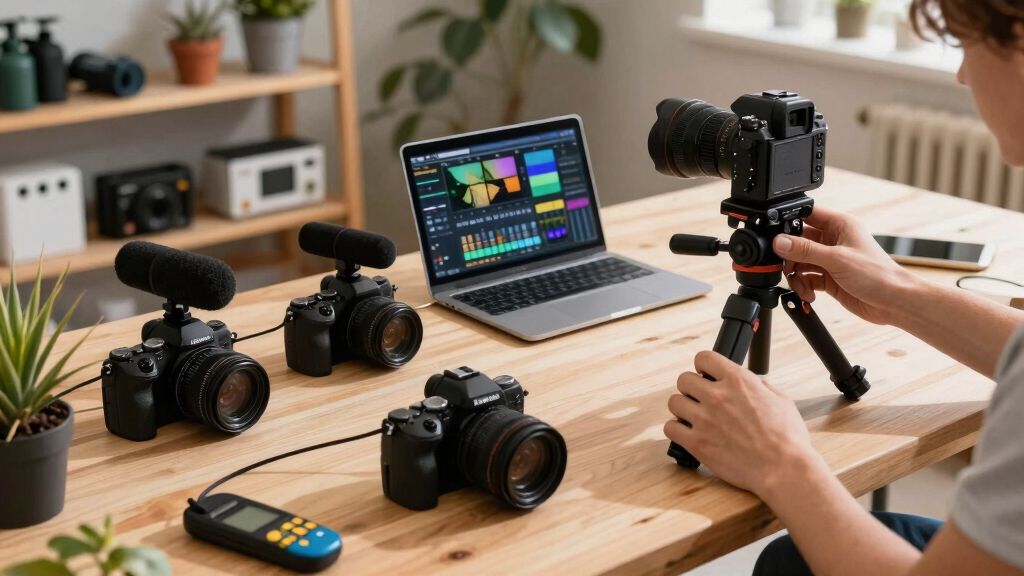
Why Offline Processing Wins for Creators and Marketers
Offline or local-first workflows mean your media never leaves your machine. This boosts privacy, speeds up the process, and avoids the lag and data concerns of cloud services. Imagine editing a video late at night, knowing your files are safe and under your control. For more insights, see how offline workflows enhance content security.
For instance, a nonfiction author recording a tutorial can process and revise their media kit, ebook files, and social snippets without an internet connection. This is especially valuable in areas with unreliable internet or when handling sensitive content.
While cloud tools often promise convenience, they can introduce delays, privacy worries, and dependency on third-party servers. Local workflows strip all that away, making content creation more predictable and secure. The tradeoff? It may require more initial investment in software and hardware, but the long-term benefits include greater autonomy and reduced reliance on external providers, which can be critical for sensitive or proprietary content.

What Assets Are Automatically Created from Your Video
From one recorded video, you can get a treasure trove of assets. Here’s a breakdown: You might also consider how to automate asset creation offline.
- Optimized titles and descriptions, scored by relevance and length.
- Multiple social media snippets—vertical clips for TikTok, Reels, Shorts.
- A media kit with high-res and web-ready cover images, author bios, and one-sheets.
- Formatted files for ebook platforms like EPUB and MOBI.
- Blog drafts, newsletter blurbs, and social posts tailored for each platform.
Understanding these outputs is important because it illustrates how a single source can efficiently serve multiple channels. It also highlights the importance of proper metadata and formatting, which can significantly influence how your content is received and discovered. The tradeoff? Automating these assets speeds up production but might sometimes produce outputs that need manual refinement to match your specific style and branding standards—so review remains essential.

How Much Manual Editing Is Still Needed After Processing
Automation speeds up your workflow, but it doesn’t replace your judgment. You’ll still review generated assets—titles, snippets, and drafts—to align with your voice and brand. For tips on refining your assets, visit manual editing after automation.
For example, the system might suggest a catchy YouTube title with a score of 85 out of 100. You can tweak it, or accept the suggestion. Social clips might need trimming to match your style. The key is that the system provides a solid foundation, not the final copy.
Most creators find that initial drafts require 10-20% editing, which is a small price for saving hours. This balance allows you to maintain quality and consistency without sacrificing efficiency. Because everything is processed locally, you can make these edits quickly and confidently, knowing your data remains secure. The tradeoff? It requires a disciplined review process to ensure the automation aligns with your evolving content standards.

Platform Compatibility: Can You Publish Wide and Stay in Control?
This workflow supports multiple publishing platforms—Amazon KDP, IngramSpark, Apple Books, Kobo, and more. You get files formatted for each, plus social media tailored for each network. Learn more about multi-platform content management.
For example, you can generate both EPUB and MOBI files for different ebook stores, while also creating print-ready PDFs and optimized images for social ads. All from one source video, managed locally.
This flexibility means you can adapt quickly to changing distribution strategies or platform requirements. It also reduces the risk of errors during manual conversion or reformatting. The tradeoff? Maintaining multiple formats may increase initial processing time and complexity, but it ultimately provides you with a versatile toolkit to maximize reach while keeping control over your assets.

Creating a Media Kit from Your Video Content
A media kit is essential for author promotion or product launches. With this workflow, you can generate high-resolution cover images, author bios, and press-ready one-sheets directly from your video. Find out how to create effective media kits offline.
Imagine recording a launch video, then extracting a compelling quote, a professional author photo, and a cover image—all stored on your machine, ready to send to media outlets or include in your website.
This process ensures consistency because the assets are derived directly from your content, reducing the risk of mismatched branding or outdated information. It also accelerates your promotional efforts—no waiting for external designers or editors. The tradeoff is that initial setup for extracting and formatting these assets requires some manual configuration, but the payoff is a streamlined, cohesive promotional package that can be updated easily with future videos.

Common Pitfalls and How to Avoid Incomplete or Inconsistent Files
Automation can sometimes produce assets that need refinement. Watch out for mismatched metadata, inconsistent formatting, or incomplete tags.
For instance, an incorrectly scored title might not fit your branding, or a social clip might start mid-syllable. Always review generated content—think of it as a first draft, not the final story.
In addition, be aware that templates and prompts need periodic updates to match your evolving style. Maintaining a detailed checklist for verifying each asset before publication helps prevent overlooked errors. The tradeoff? While automation reduces manual labor, neglecting review can lead to inconsistent or incomplete outputs that harm your brand’s professionalism. Regular audits and iterative refinements are key to maintaining quality.

Recent Trends Making This Workflow Even More Powerful
New developments are pushing workflows like this forward. More tools are supporting offline processing, giving creators more control and privacy.
Automation in self-publishing is also expanding—tools that generate content, format files, and even schedule releases without relying on cloud services. These trends make local workflows more viable and attractive than ever.
For example, a self-publisher might process a video, generate all assets offline, and then push the final files to Amazon, IngramSpark, and their own website—saving hours and reducing dependency on external servers.
Staying current with these innovations allows creators to optimize their production pipeline, minimize delays, and safeguard their intellectual property. The tradeoff? Keeping up with rapidly evolving tools requires ongoing learning and occasional software updates, but the benefits of increased autonomy and security often outweigh these efforts.
Frequently Asked Questions
What exactly can one video be turned into?
One video can generate social clips, media kits, formatted ebook files, blog drafts, newsletters, and social media posts—all tailored for each platform and kept on your local machine.
How does the workflow work without the cloud?
It relies on local processing tools that analyze video layers—audio, visuals, and content—and produce assets without uploading anything online. Everything stays on your hardware, giving you privacy and instant control.
Is this suitable for both fiction and nonfiction creators?
Absolutely. Fiction writers can generate promotional snippets and media kits, while nonfiction creators can produce detailed blog drafts, ebooks, and marketing materials—all from the same video.
What file formats are automatically generated?
Commonly, EPUB and MOBI for ebooks, high-res images for print and media kits, and video clips in MP4 or vertical formats for social media—customizable depending on your needs.
How do corrections or updates propagate across formats?
When you revise a video or script, the system can update all related assets—ebook files, social snippets, media kits—ensuring consistency without re-uploading or manual tweaks.
Conclusion
Managing your publishing assets locally isn’t just a technical choice; it’s a strategic move toward greater control and speed. With the right workflow, a single video transforms into a complete, ready-to-publish package—fast, private, and flexible.
Imagine wrapping up your next project and having everything prepared for launch in minutes. That’s the power of a well-designed, offline, video-to-publishing workflow. Why wait for cloud delays when your entire publishing kit can be crafted right in your own workspace?