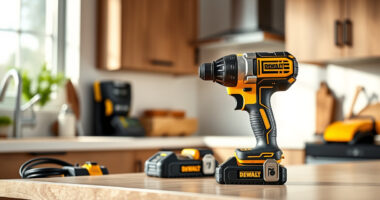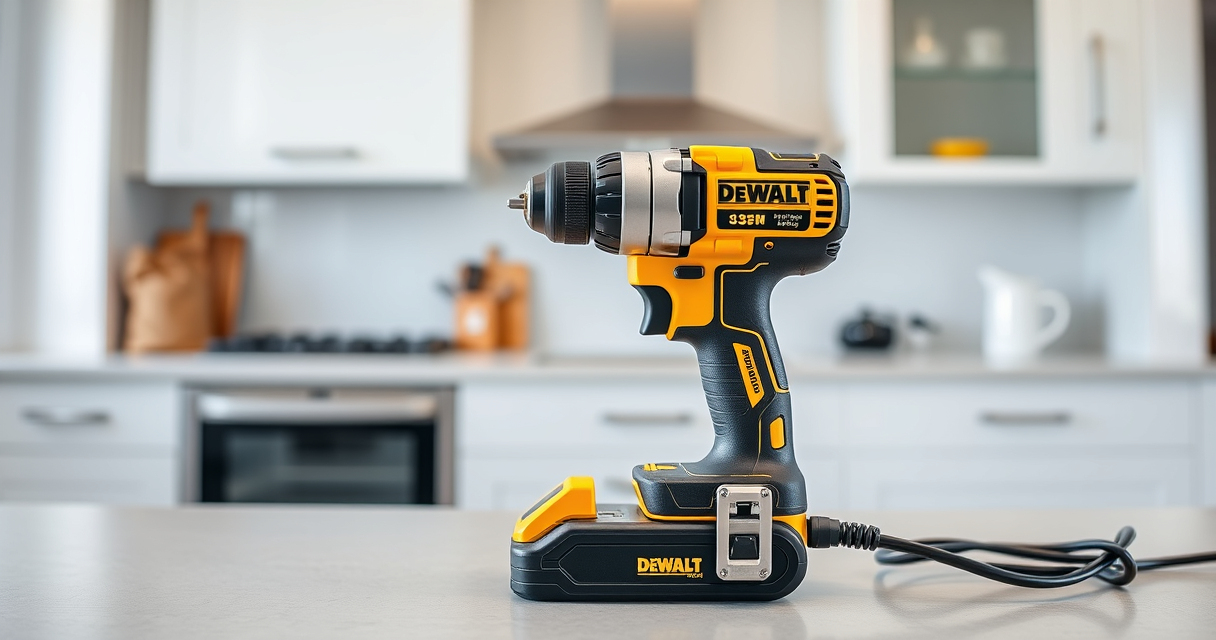

Getting started with your new DEWALT power tools can seem daunting, but with the right setup process, you’ll be ready to tackle any project safely and efficiently. This guide walks you through the essential steps to assemble, configure, and troubleshoot your DEWALT tools, ensuring you get the most out of your investment.

Get garden gear delivered free with Prime
- Fast, free delivery on millions of items
- Prime Video, Amazon Music and more included
- Member-only deals all year
Whether you’re a seasoned pro or a DIY enthusiast, proper setup is key to safety and performance. Let’s begin with what you’ll need to prepare before starting the setup process.
Key Takeaways
| Safety First | Always wear safety gear when handling power tools. |
| Tools & Parts | Gather your DEWALT drill, batteries, charger, and accessories. |
| Proper Assembly | Follow step-by-step instructions for assembly and attachment. |
| Battery Management | Ensure batteries are fully charged before use. |
| Troubleshooting | Identify common setup issues and solutions. |
Preparing Your Workspace and Gathering Tools
Before beginning the setup of your DEWALT power tools, ensure your workspace is clean, dry, and well-lit. Clear a flat surface where you can comfortably assemble and test your tools. Gather all necessary components, including your drill set, batteries, charger, drill bits, and any accessories such as bits or attachments.
It’s advisable to wear safety glasses and gloves during assembly to protect yourself from sharp edges or accidental slips. Make sure your batteries are fully charged using the DEWALT charger included with your kit, as this will save time during setup and initial use.
Assembling and Attaching Accessories
- Insert the battery: Align the battery pack with the base of the drill, then slide it in until you hear a click, indicating it’s securely attached.
- Attach drill bits: loosen the single-sleeve ratcheting chuck by turning it counterclockwise. Insert the desired drill bit, then tighten by turning the chuck clockwise until secure. Ensure the bit is centered and tightly held.
- Check the LED light: Confirm the LED light functions by pressing the trigger briefly; this can help with visibility in dim areas.
Always double-check that attachments are tight before use to prevent accidents and ensure optimal performance.
Powering Up and Testing Your Tool
Once assembled, press the trigger to turn on your DEWALT drill. Observe the operation: the brushless motor should deliver smooth, consistent power. The 2-speed transmission allows you to switch between high speed for drilling and low speed for driving screws.
Test the LED light in a dim area to ensure it illuminates properly, aiding visibility during work. Make sure the trigger release delay feature works by releasing the trigger and noting the light’s dimming time.
Troubleshooting Common Setup Issues
- Batteries not charging: Ensure batteries are correctly inserted into the charger and that the charger is plugged into a working outlet. Check for any blinking LED indicators on the charger that might signal a fault.
- Bit slipping or not holding: Confirm the chuck is fully tightened around the bit. Use the correct size and type of bit for your application, and avoid over-tightening, which can strip the chuck or damage bits.
- Tool not responding: Check battery charge level. Replace or recharge batteries if necessary. Reset the tool by removing and reinserting the battery.
Maintenance and Safe Storage
To keep your DEWALT tools in top condition, clean them after each use with a dry cloth. Avoid using harsh chemicals that could damage the housing or components. Store your tools in a dry, cool place, preferably in a case or toolbox to prevent damage and keep accessories organized.
Periodically check for loose screws or parts, and replace worn-out bits or batteries to maintain safety and efficiency. Proper maintenance not only extends the lifespan of your tools but also ensures your safety during operation.
The Products in This Guide

DEWALT 20V MAX Cordless Drill Driver Set
- ✔ Front to Back Length: 7.6 inches
- ✔ Battery Capacity: 2.0 Ah
- ✔ Chuck Type: Single-sleeve ratcheting chuck

DEWALT Drill Bit Set
- ✔ Number of Bits: 14
- ✔ Tip Angle: 135 degrees
- ✔ Coating: Black and gold
DEWALT 20V MAX Cordless Drill Driver Set
The DEWALT 20V MAX Cordless Drill Driver Set offers a powerful brushless motor in a compact, lightweight design. It’s ideal for tight spaces and general-purpose drilling and fastening tasks, making it a great addition to any toolbox.
Pros:
- Brushless motor for longer run time
- Lightweight and ergonomic design
- Includes 2.0 Ah battery and charger
- LED light for visibility
Cons:
- Limited to 2-speed settings
- Battery life may vary with heavy use
- No additional attachments included
Best for: DIY projects, home repairs, light construction
Not ideal for: Heavy-duty industrial use or prolonged demanding tasks
Bottom line: A reliable, lightweight drill perfect for versatile DIY applications.
DEWALT Drill Bit Set
Pair your DEWALT drill with this 14-piece drill bit set featuring 3-flats shank, split point tips, and durable high-speed steel construction. Ideal for various materials including plastic, wood, and metal.
Pros:
- Wide range of sizes included
- Reduces walking and slipping
- Corrosion-resistant coating
- Heavy-duty construction
Cons:
- Only compatible with high-speed steel bits
- No storage case included
- Limited to specific bit types
Best for: Drilling into multiple materials with precision
Not ideal for: Heavy industrial drilling or specialized bits
Bottom line: A versatile, durable drill bit set that complements any DEWALT drill.
Frequently Asked Questions
How do I change the battery on my DEWALT drill?
Locate the battery release button at the base of the drill, press it, and slide the battery out. Insert a fully charged battery by aligning it with the contacts and pressing until it clicks into place.
What should I do if the drill bit slips in the chuck?
Make sure the chuck is fully tightened around the bit. If it continues slipping, check for damage or wear on the chuck and replace it if necessary.
How can I extend the battery life?
Use the drill at appropriate speeds, avoid overloading, and store batteries in a cool, dry place. Fully charge batteries before first use and recharge after each session.
Can I use different brands of accessories with my DEWALT drill?
It’s recommended to use DEWALT accessories for compatibility and safety, but many third-party accessories designed for standard sizes may also fit.
What maintenance does my DEWALT drill require?
Regularly clean the exterior, check and tighten screws, replace worn bits, and store in a dry place. Avoid exposing the tool to water or extreme temperatures.
Start Your Projects with Confidence
Setting up your DEWALT power tools properly ensures safe operation and maximum performance. Follow these steps, perform routine maintenance, and choose compatible accessories to get the most out of your investment. With a little care, your DEWALT tools will serve you well on countless projects, big or small.
Affiliate disclosure: As an Amazon Associate we earn from qualifying purchases. Prices and availability are accurate as of the time of publishing.
Halloween Picks
halloween
As an affiliate, we earn on qualifying purchases.