
TL;DR

Get garden gear delivered free — and shop member deals
- Fast, free delivery on millions of items
- Access to Prime Big Deal Days deals on October 6–7
- Prime Video, Amazon Music and more included
Prebuilt AI workstations can now match or beat DIY builds on price due to market shortages and bulk buying. The choice depends on your need for customization, control, and support, not just initial cost or effort.
Building your own AI workstation used to be a no-brainer for saving money. But the landscape shifted fast in 2026. Now, with skyrocketing component prices and supply chain issues, prebuilt systems often cost less or the same as assembling your own.
If you’re eyeing a machine to train models or run deep learning tasks, knowing whether to build or buy could save you hours of frustration or thousands of dollars. This guide breaks down the real tradeoffs—cost, control, and support—so you can choose what’s best for your AI journey.
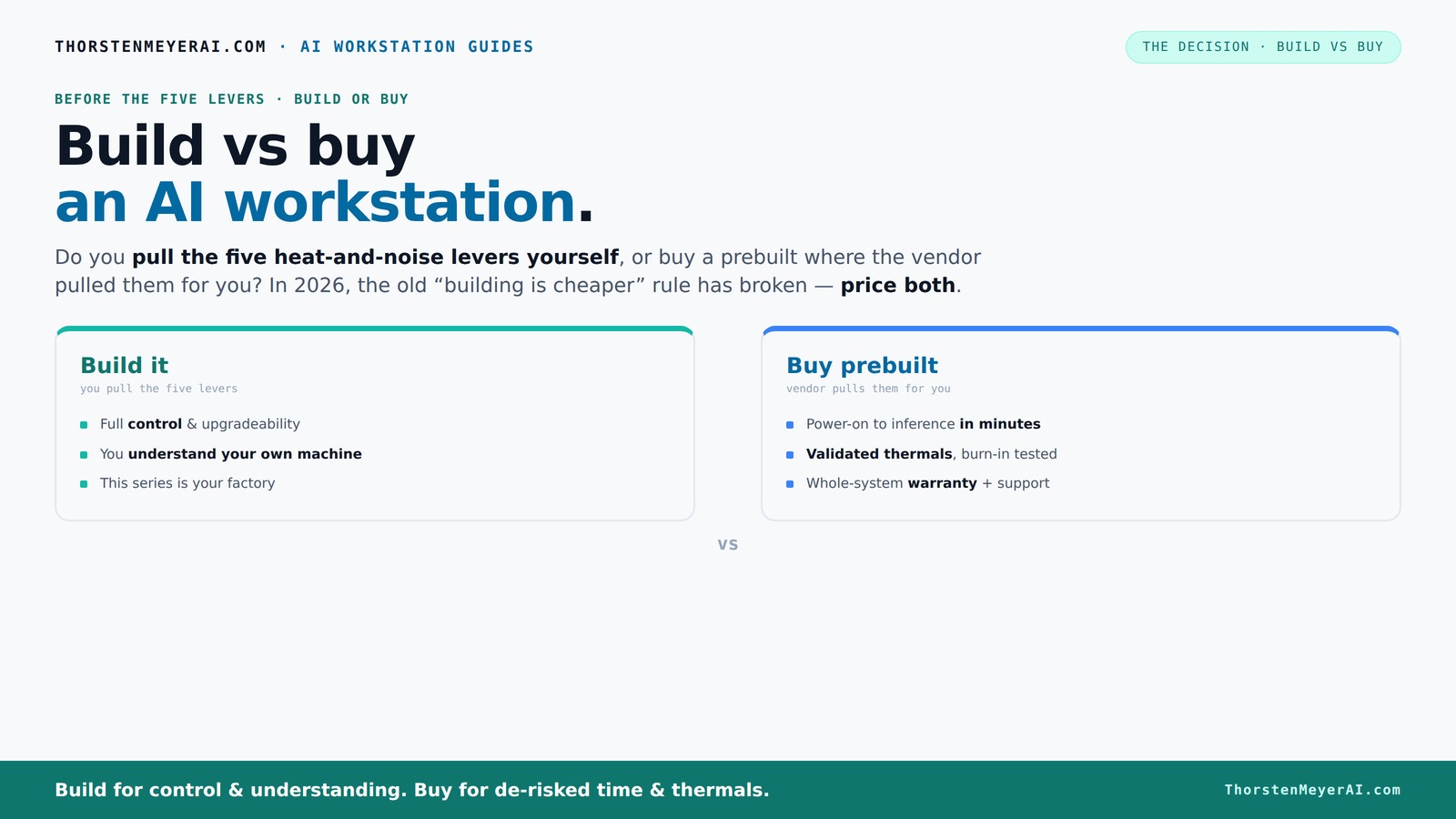
Build vs buy
an AI workstation.
The real question behind this whole series: do you pull the five heat-and-noise levers yourself, or buy a prebuilt where the vendor pulled them for you? And in 2026, the old “building is cheaper” rule has broken. Match your situation in Part 3.
Why 2026 Changes Everything for Build vs Buy
Building your own AI workstation isn’t always cheaper anymore. Market shortages mean high demand for GPUs, RAM, and SSDs, pushing prices sky-high. A build that used to cost under $1,000 can now easily top $1,250 or more before even adding an OS.
Meanwhile, big vendors snapped up components early—thanks to bulk buying—and can now offer systems at prices that rival or beat DIY prices. This flips the old script: DIY isn’t automatically the budget winner anymore.
So, the decision isn’t just about saving money. It’s about balancing cost with time, expertise, and support. You can no longer assume building always wins—today, you need to compare both options for your exact setup.
high performance AI workstation prebuilt
As an affiliate, we earn on qualifying purchases.
As an affiliate, we earn on qualifying purchases.
Who Pulls the Levers? Building vs Buying the Heat & Noise Control
Managing heat and noise in a high-power AI rig is like tuning a race car. It’s about undervolting GPUs, matching coolers, optimizing airflow, and setting fan curves. You do this yourself if you build, or you pay a vendor to do it if you buy.
Prebuilt vendors like Lambda or BIZON invest in thermal validation and often run extensive testing—sometimes 48 hours straight—before shipping. They tune fans, install water cooling, and guarantee the system won’t throttle under load. It’s like having a factory-trained mechanic perfect your machine.
If you build, you get to pick the exact cooling solutions and tune everything yourself. But that requires expertise—knowing how to undervolt GPUs, select quiet cooling, and set up airflow. It’s a tradeoff: DIY offers control, but prebuilt offers peace of mind.
Cost Comparison: Is Building Always Cheaper?
| Factor | Build Your Own |
|---|---|
| Component prices (2026) | Typically higher due to shortages, especially GPUs and RAM |
| Labor & shipping | Included in prebuilt costs, often zero if DIY |
| Time & effort | Significant—assembly, troubleshooting, setup |
| Support & warranty | DIY parts warranty + personal troubleshooting |
Prebuilts, thanks to bulk buying, often match or beat DIY costs for high-end configs. They include support, warranty, and pre-installed software, which can save hours of setup time. When you factor in your time and support costs, the gap narrows or flips entirely.
Performance & Expandability: Which Fits Your AI Needs?
For GPU-heavy AI workloads, performance depends on GPU VRAM, PCIe lanes, and cooling. A custom build lets you pick exactly the GPUs, RAM, and storage. You can tailor your system for multi-GPU setups, ensuring sufficient power and thermal headroom.
Prebuilt systems often come with validated configurations designed for high load. Vendors like Lambda optimize cooling and power delivery, making multi-GPU setups run smoother and quieter. But you’re limited to what they offer, and upgrades later can be trickier.
If you crave maximum expandability and control, building your own might be worth the effort. But for most users, a prebuilt offers reliable, tested performance without the hassle.
Support, Warranty, and Risk of Downtime
A prebuilt AI workstation comes with a system-level warranty—often 3 to 5 years—and support that’s just a call away. If something breaks or throttles under load, you’re covered. This reduces downtime and troubleshooting stress.
DIY builds rely on individual component warranties—sometimes 1 or 2 years—and troubleshooting can take hours or days. You’re on your own if a GPU or motherboard fails, unless you buy extended warranties yourself.
For critical workloads or tight schedules, the support and warranty bundle in prebuilts offers peace of mind. But if you enjoy tuning and fixing hardware, DIY might be more satisfying—and cheaper in the long run.
Who Should Build? When DIY Makes Sense
If you’re a hobbyist, student, or someone who enjoys hardware tinkering, building your own AI workstation can be rewarding. You control every part, from GPU choice to cooling, and learn a ton in the process.
It’s also ideal if you want a very specific setup—say, 4 GPUs with custom cooling—that isn’t available prebuilt. Plus, if you have the skills and time, DIY often yields better long-term value.
Check out our guide on quiet GPUs for local AI for tips on choosing power-efficient components.
When Buying Prebuilt Is the Smarter Move
If your priority is plug-and-play, quick deployment, and reliable support, a prebuilt system wins. Vendors like Lambda or BIZON test extensively, tune thermals, and include warranties, saving you hours of setup and troubleshooting.
For busy professionals or teams, the time saved often outweighs the extra cost. Plus, they get a system that’s ready to run large models or multi-GPU tasks right out of the box.
Look for systems that include pre-installed AI frameworks like CUDA, PyTorch, or TensorFlow to get started faster. And remember, the best choice depends on your workload and comfort with hardware.
How to Pick the Perfect GPU, RAM, and Cooling for AI
Choosing the right hardware can make or break your AI workflow. For GPUs, prioritize VRAM—at least 24GB for large models—and check PCIe lane support to avoid bottlenecks. Learn more about AI hardware optimization.
For RAM, aim for at least 64GB for serious training, and consider faster DDR5 modules for better throughput. Cooling matters too—look for quiet, efficient coolers and well-ventilated cases.
For detailed guidance, see our article on quiet GPUs for local AI and quiet CPU coolers for AI.
Key Takeaways: Your Quick Guide
- 2026 Market Shift: Prebuilts now often match or beat DIY prices due to component shortages.
- Heat & Noise: Vendors validate thermal performance, saving you the tuning hassle.
- Support & Warranty: Prebuilts reduce downtime risk with system-level support, crucial for critical projects.
- Building DIY: Best for hobbyists, control freaks, or custom setups with unique cooling needs.
- Buying Prebuilt: Ideal for quick, reliable deployment and hassle-free support, especially on complex multi-GPU rigs.
Frequently Asked Questions
Is it cheaper to build or buy a prebuilt AI workstation?
It depends. Due to component shortages and bulk buying, prebuilts often match or beat DIY costs in 2026. Factor in your time, support needs, and desired customization to make the best choice.How much more does a prebuilt cost after labor and warranty?
Typically, prebuilts include labor, testing, and warranty support, adding 10-20% over component-only costs. But this can save you hours of troubleshooting and reduce downtime risks.Which option is better for training large models or running multiple GPUs?
Prebuilts like Lambda or BIZON are validated for multi-GPU setups, ensuring thermal and power stability. DIY is possible but requires deep expertise and time to tune properly.Can I upgrade a prebuilt AI workstation later?
Most prebuilts allow upgrades—adding RAM or SSDs is straightforward. However, major GPU upgrades may be limited by case size or power supply, so check the vendor’s upgrade path.Does a prebuilt come with Linux or Windows preinstalled?
Most prebuilt systems come with Windows, but some vendors also offer Linux options. Confirm support and OS preference before purchase to match your workflow.Conclusion
In the end, the choice isn’t just about saving a few dollars or hours. It’s about what you value—control, speed, or support. In 2026, with prices balancing out and options growing, your decision should match your workload, skills, and needs.
Remember: a well-chosen prebuilt can save you headaches, while building your own deepens your understanding and custom fit. Pick what aligns best with your AI goals—and don’t forget to enjoy the process.
Halloween Picks
halloween
As an affiliate, we earn on qualifying purchases.